Templates and documents are the two foundational resources of DocuGenerate. By leveraging them, you can build document generation workflows tailored to the specific needs of your organization.
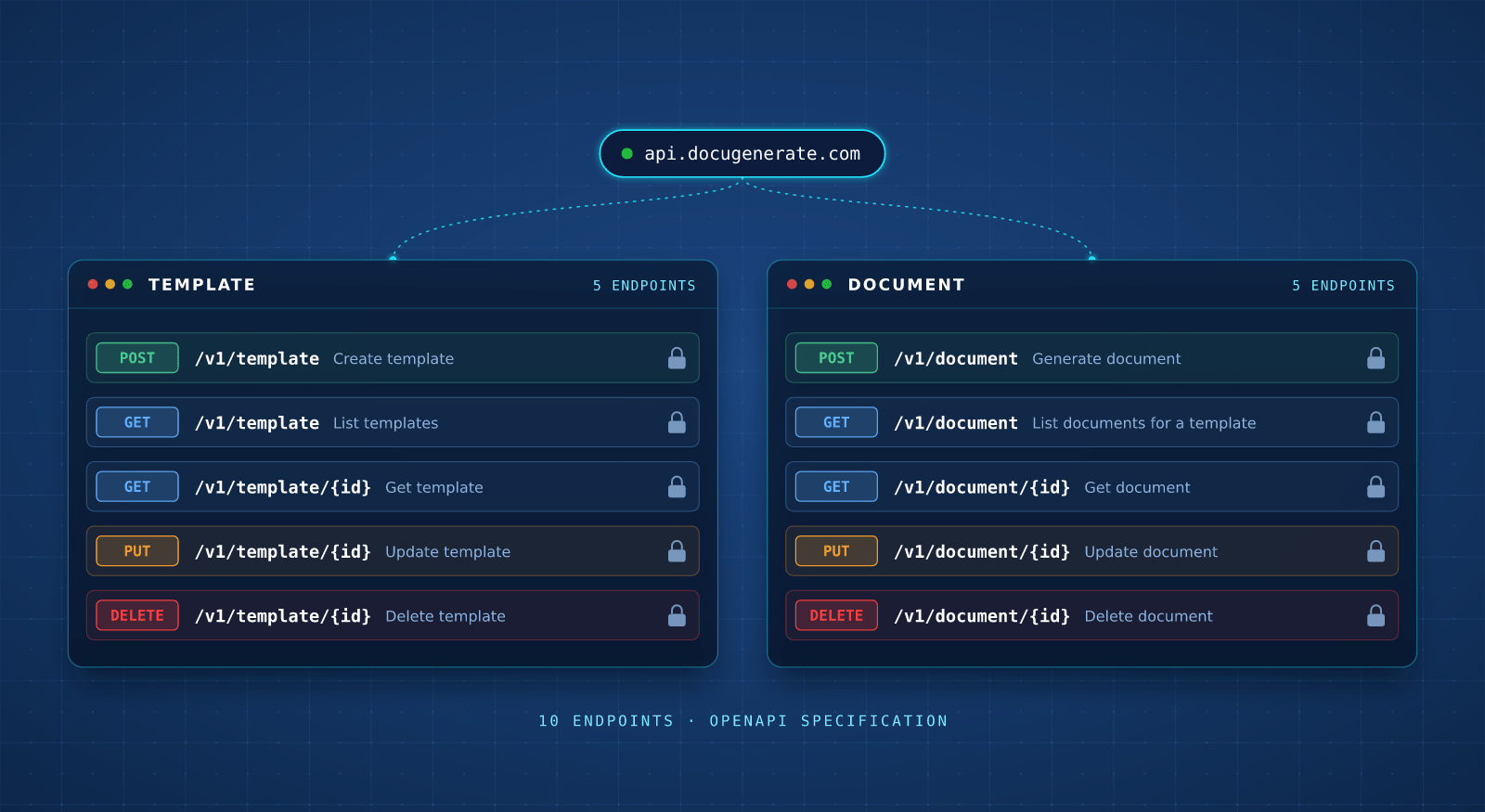
With only 10 endpoints, the API Reference has all the necessary building blocks.
Generate a client for your language from the OpenAPI spec instead of writing HTTP calls.
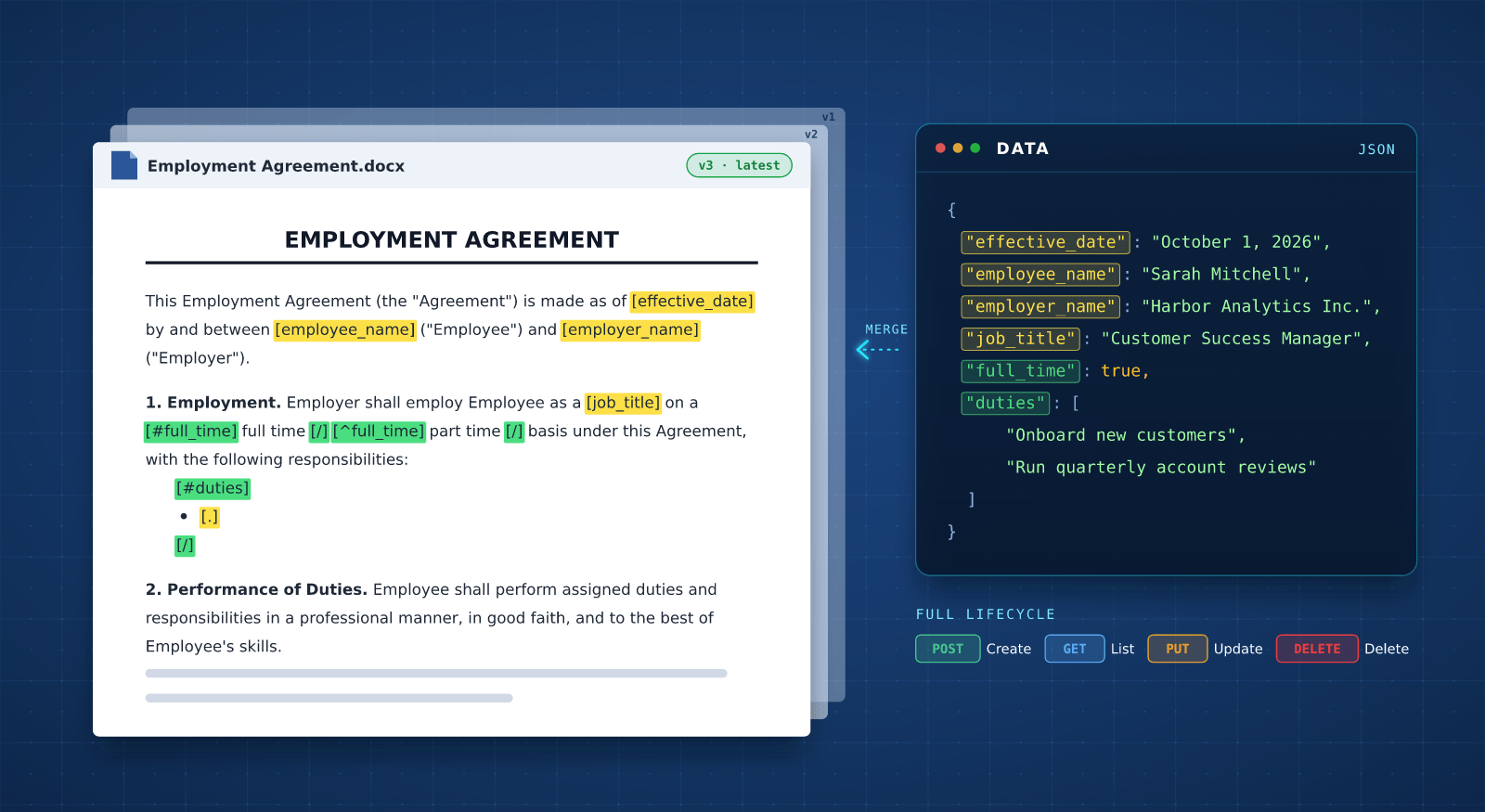
Your templates are ordinary Word files, so it's easy to edit them in your favorite document editor, no need to learn new software. If versioning is enabled, every new upload preserves the previous file.
Mark the dynamic parts with merge tags and send matching keys in the generation request.
Create, update, list and delete templates from code, so your app manages its own library.
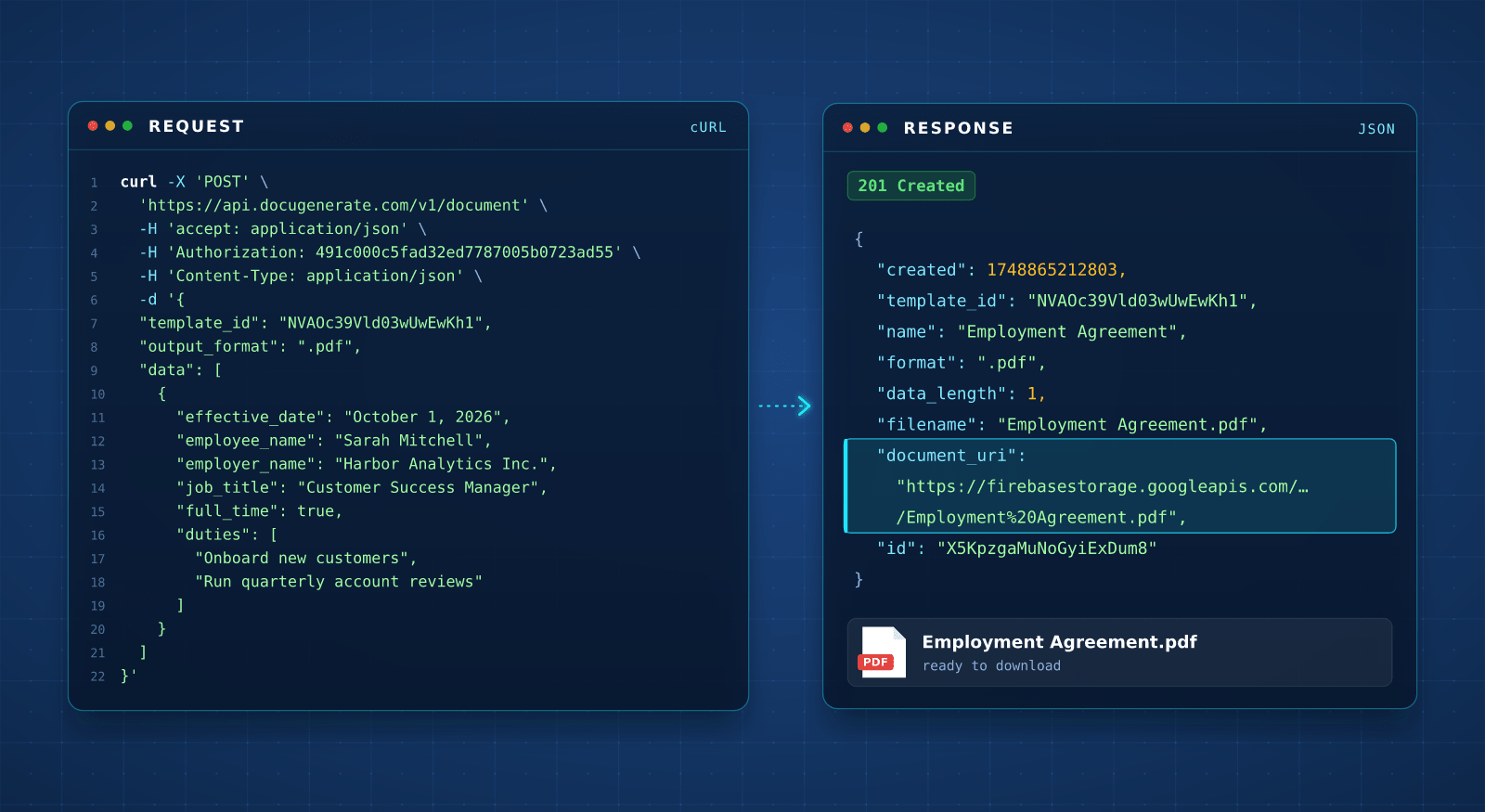
Send a POST request to the document endpoint with the ID of your template and the data you want merged into it, and DocuGenerate responds with an object containing a link to the generated document.
Follow the API Quick Start guide to create a template and generate your first document.
Send the data as a JSON body or as form fields, whichever content type suits your stack.
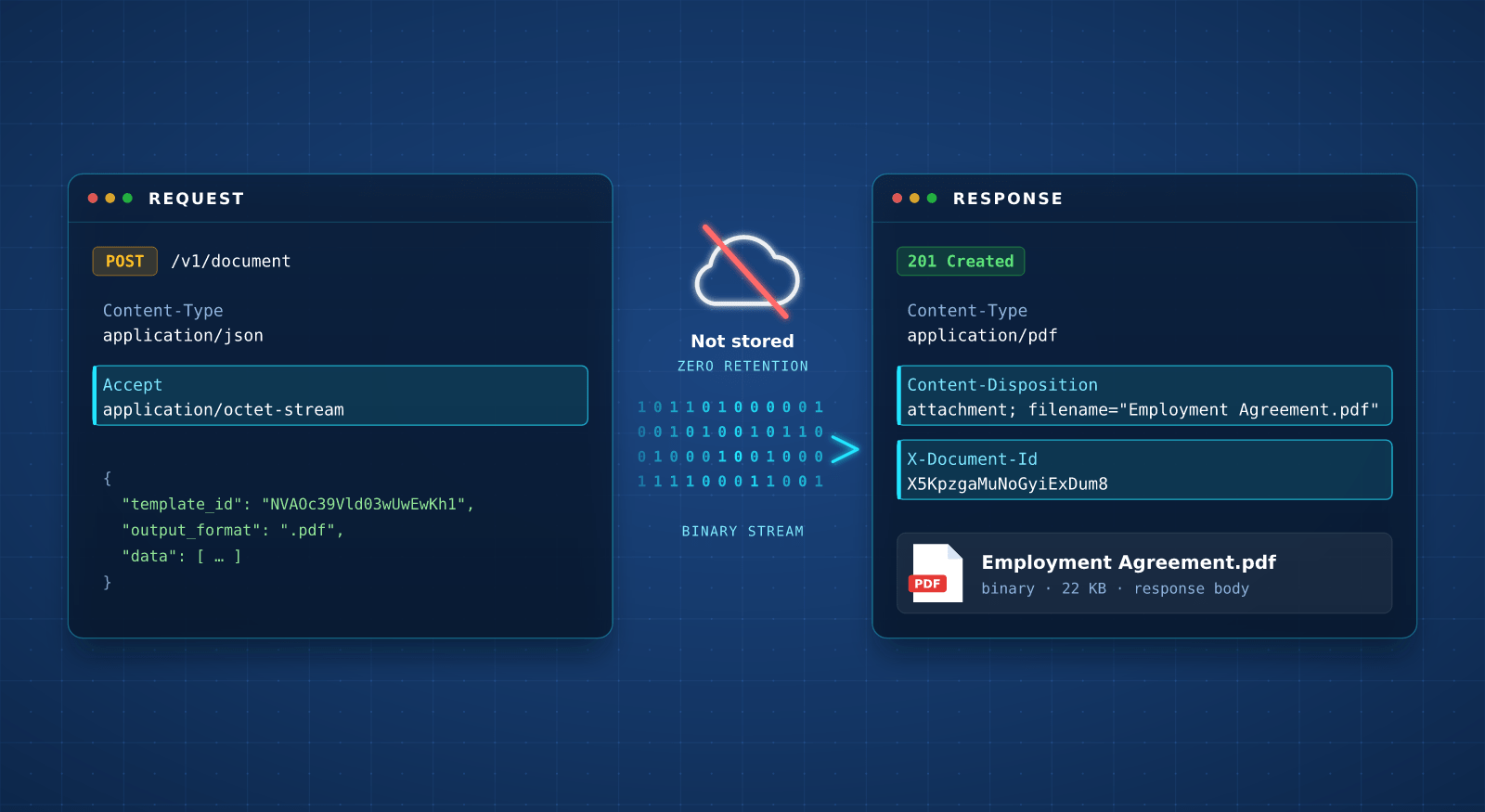
By default, generated documents are stored in the cloud. Ask for the binary format when making the request, and the file is never saved on our end, as it comes back directly in the response body.
To receive the binary response , ensure that you specify the Accept header in your request.
The response carries the filename and the generated document ID in its headers.
Point your integration at the API endpoint closest to your users. Documents are processed and stored in that region, and only the base URL changes, so the parameters and responses stay exactly the same.
Choose from the United States, European Union, United Kingdom or Australia.
Every region runs to the same 99.9% uptime commitment, on every plan.
Beyond merging data into a template, you can assemble documents, attach files and much more, directly from the API.
Append terms, appendices or any static PDF after the generated pages to build a complete document for your business.
Learn MoreAttach images, spreadsheets or other types of files to your PDF, so everything travels in a single document.
Learn MoreSend a CII XML and we detect the profile, then package the invoice as a Factur-X compliant PDF/A-3.
Learn MoreName the folder path when you upload a template and any missing folders are created for you.
Learn MoreQuestions frequently asked by developers evaluating our API